Road Cam provides solutions to all drivers with live cam data, on journeys throughout the UK, with over 3000 live cams, and up to date traffic information, it enables the driver to quickly make decisions, bypass traffic jams, and plan their journey.
The challenge
The challenge for the Road Cam application was to redesign the UI/UX functionality and find solutions to help the user integrate in a more intuitive way to increase productivity.
My role
Redesign the user interface from the ground up, implement new design ideas to help engage the end-user, and finally make the application more accessible to use.
User flow
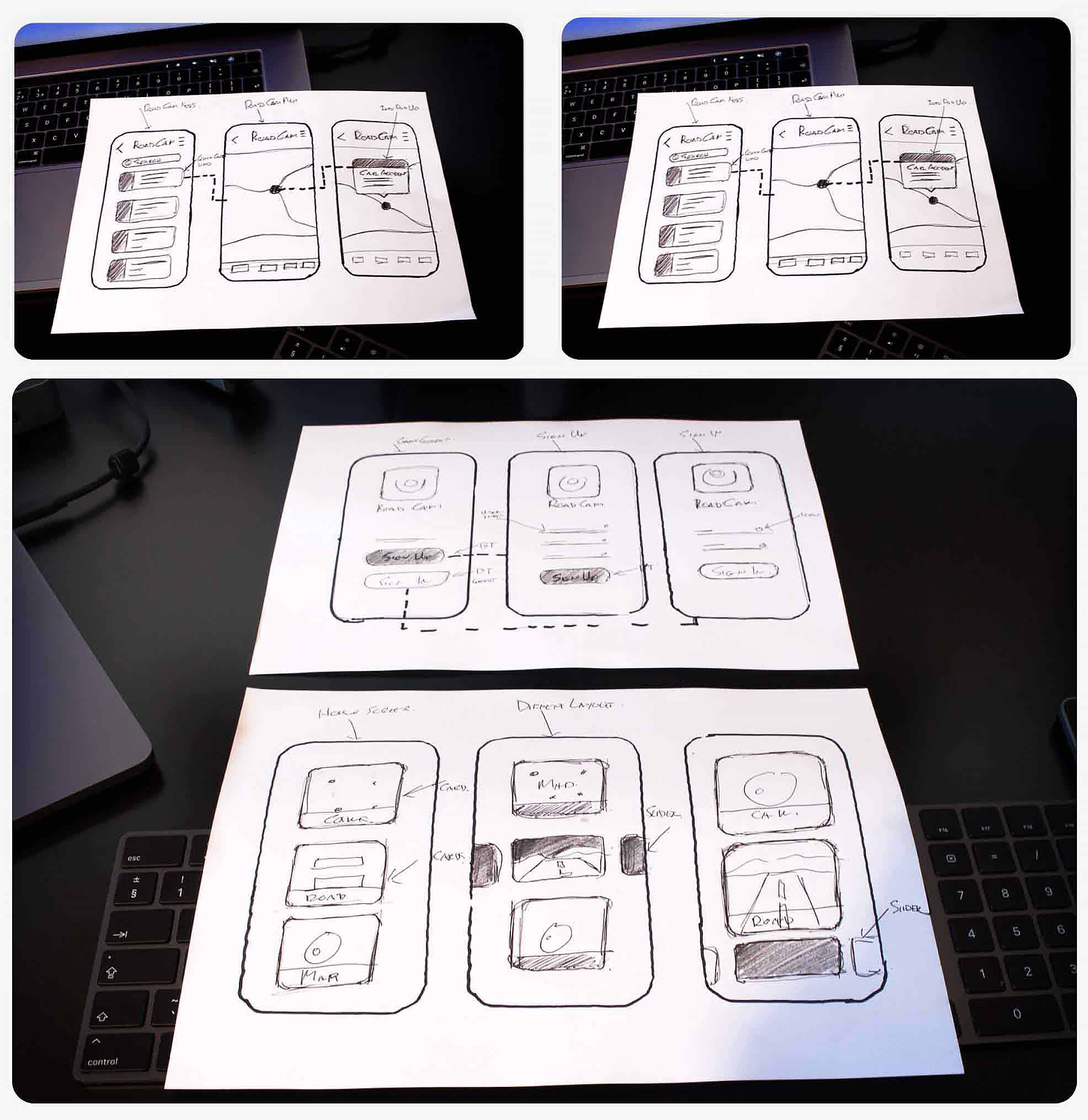
During the design stage user flow charts help with logic and scenarios for application functionality and introduce new feature ideas into the road cam application.


UX Sketches
UX sketches come into play to build on layout ideas that could work with the application, look at logic flow accessibility, and also introduce new design features.

User Login Screen
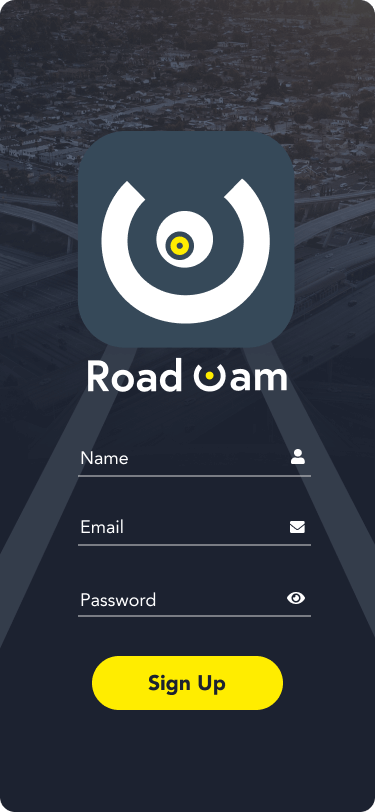
The user login was given the emphasis on branding, strong CTA colour work, and getting the user up and running with the app as soon as possible, from the user flow research, we wanted the user to have automatic login once signed up had been completed.


Home Screen
Application Task
The original design didn't have a homepage for the end-user and put them in a map environment on startup, this caused confusion on how to use the app, My design implemented a homepage to allow the user an introduction to the application, and gave the user a quick overview of the different areas on offer.
Design Solution
The homepage design was heavily influenced by the functionality of the application. We wanted the user to be given visual cues as to what to expect in different areas of the app, so the card design illustration was influenced by this idea. Road cam maps used a map with icons, Road congestion used a list view illustration, and Saved road cams used the strong cam icon from the logo. This design idea for each card reinforcing the functionality for the end-user.


Road Cams
Application Task
The current app functionality used standard Google Maps which were cluttered and not intuitive to use with no visual aids to help the end-user find and view motorways and street-level cams, to make thing worse no cam icons were displayed on the map, and the user had to turn on this feature with a CTA button, also there was no search function for the map to find other locations of interest.
Design Solution
My design solution was to use a custom colour style map which helped the end-user identify motorway locations easier and also tied in with the look and feel of the application. Next was to design a new CTA Cam Icon which helps the user identify road cams on the map and implement a search feature to allow the user to search other locations. Finally, I redesign the cam video viewer to display motorway and junction information, with a CTA button option to save road cam videos, which the original app design did not offer.


Road Congestion
Application Task
The original design for road congestion news was a canvas of muddled together information, it lacked targeted UI design and was an overall poor user experience. The app displayed a lot of the information in plain text, and it was difficult to gather key information at a glance.
Design Solution:
To combat this poor UI design I introduce colour code for motorway numbering which allows the user to gather this information quickly. Next was to break up other key information like Time of the incident, Distant from the incident, and lastly, I put in place an option for the user to view incidents in their group be it, Road incidents, Road events, Road Works.
I then designed a completely new feature into the Road Cam app which allowed the user to click into any road incident, they would then be taken to a map view, pinpoint that location on the map, and automatically display a more detailed explanation of the incident, helping drivers associate the incident with their present road location.


Saved Road Cams
Application Task
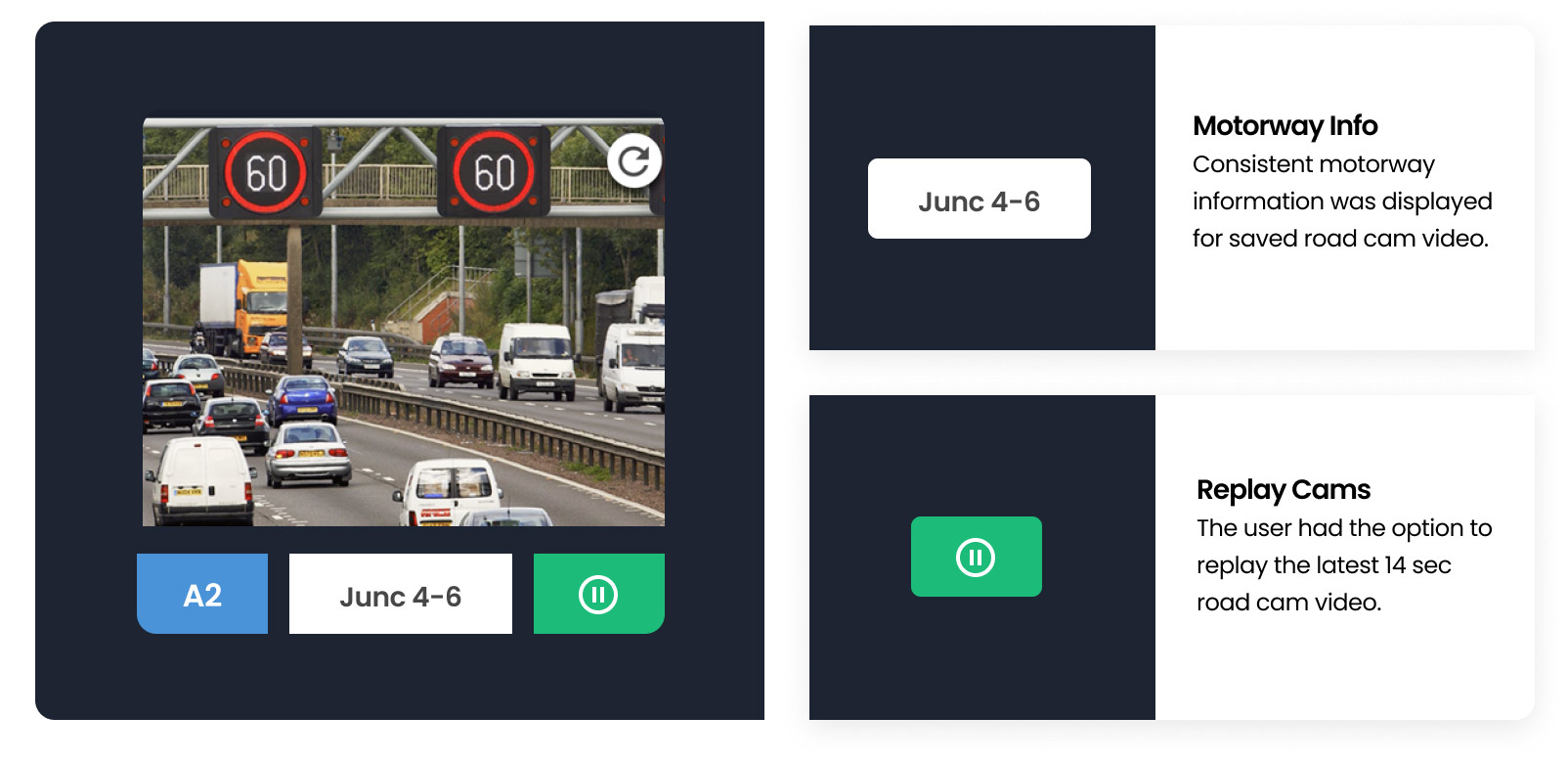
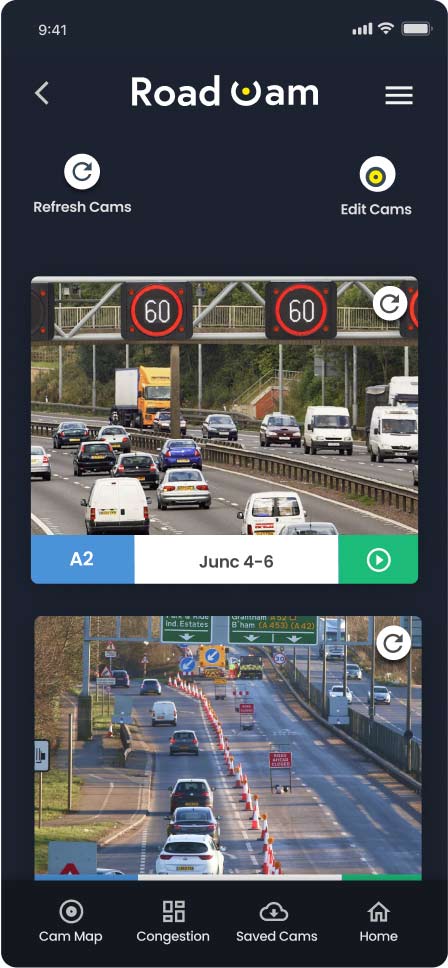
Saved road cam problem areas were not letting the user see motorway numbering and junction information on saved videos, no option to replay cam videos, and poor user management.
Design Solution
My solution was to first implement motorway information on videos, along with a video replay button, this option also refreshed the video to display the most up to date traffic information, then design a cam manager system to help the end-user arrange road cams videos, with options to delete and change their stacking order.

User Settings
Application Task
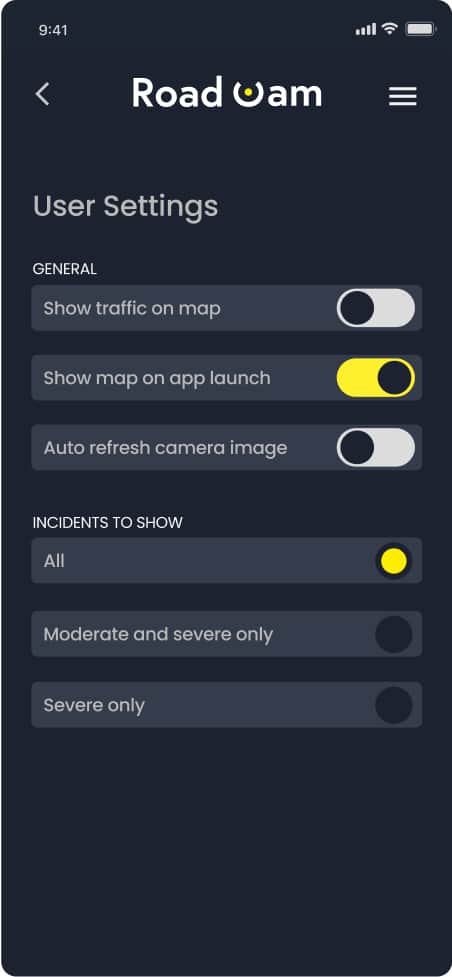
User setting on the old app had limited functionality and did not collect any data so there was an opportunity to update this part of the application and add some extra features
Design Solution
The first part of the update was to collect some basic user information for marketing opportunities and to learn a little about the user base to use as a foundation to improve the Road Cam app. Next was to add an extra feature to incidents preferences, this would allow the user to manage how much information was displayed on the road cam maps, from, All, Moderate, or Severe incidents. And lastly, tidy up the UI layout and CTA button functionality.